

Download SocialBro – Free Twitter Analytics Tool for Powerful Insights
Overview of SocialBro
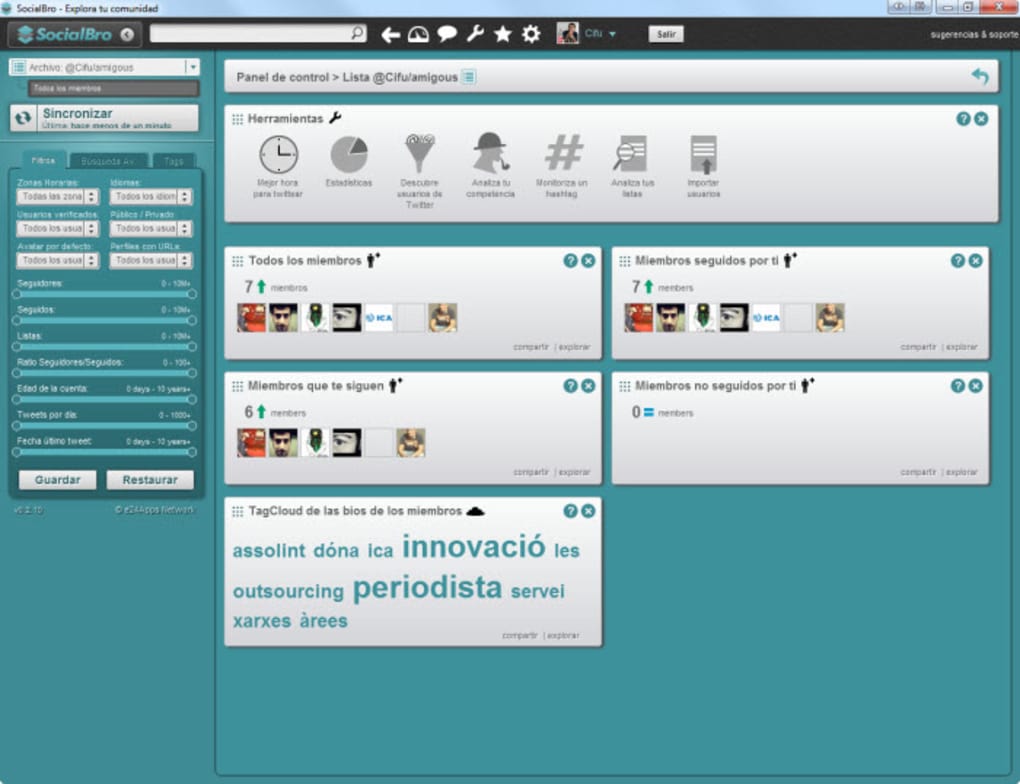
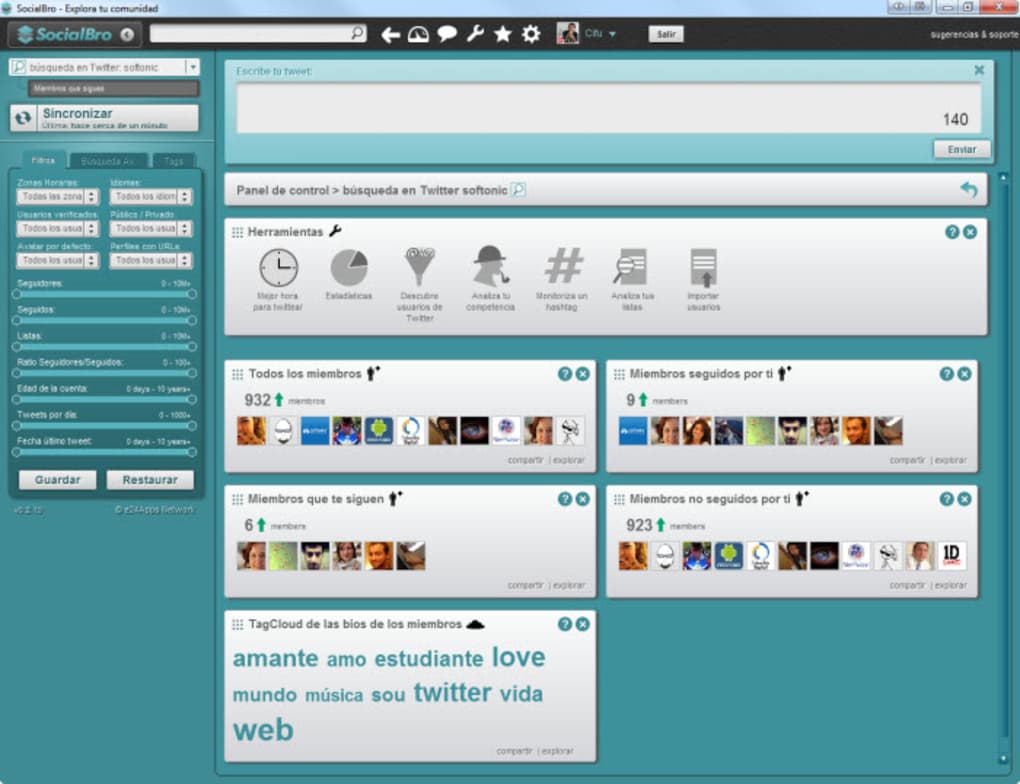
SocialBro is a free Twitter analysis app that promises a deep dive into your social graph. By connecting your Twitter account, the platform harvests data about who you follow, who follows you, location tags, influence scores, tweet frequencies, and more. The information is presented through an intuitive dashboard that can be filtered by friends, influence, location, and several other dimensions.
While the concept is compelling and the data set is rich, users should be aware that SocialBro currently runs on a desktop‑focused, Air‑based interface that can feel a little flaky on larger accounts. Nevertheless, for power users who need granular metrics—such as the best times to tweet, competitor analysis, and hashtag monitoring—SocialBro offers a surprisingly robust suite of utilities without any hidden cost. The tool is positioned as a free, secure, and regularly updated software application that works on the major operating systems, making it an attractive option for marketers, social media managers, and serious Twitter enthusiasts looking for a cost‑effective way to extract actionable intelligence from their Twitterverse.
Key Features & Benefits of SocialBro
What the App Can Do for You
- Follower & Following Breakdown – Visualize the people you follow and who follows you, complete with location tags and activity levels.
- Influence Scoring – Get an estimate of each account’s influence based on retweets, mentions, and follower count.
- Hashtag Monitoring – Set up real‑time alerts for specific hashtags to stay on top of trending conversations.
- Best‑Time-to‑Tweet Reports – Generate data‑driven recommendations on optimal posting windows for maximum engagement.
- Competitor Analysis – Compare your metrics against rival accounts, uncovering gaps and opportunities.
- Custom Filters & Slider Controls – Narrow results by friends, influence, location, and other criteria, though the filters sometimes lack detailed explanations.
- Exportable Reports – Download CSV or PDF reports for offline review or stakeholder presentations.
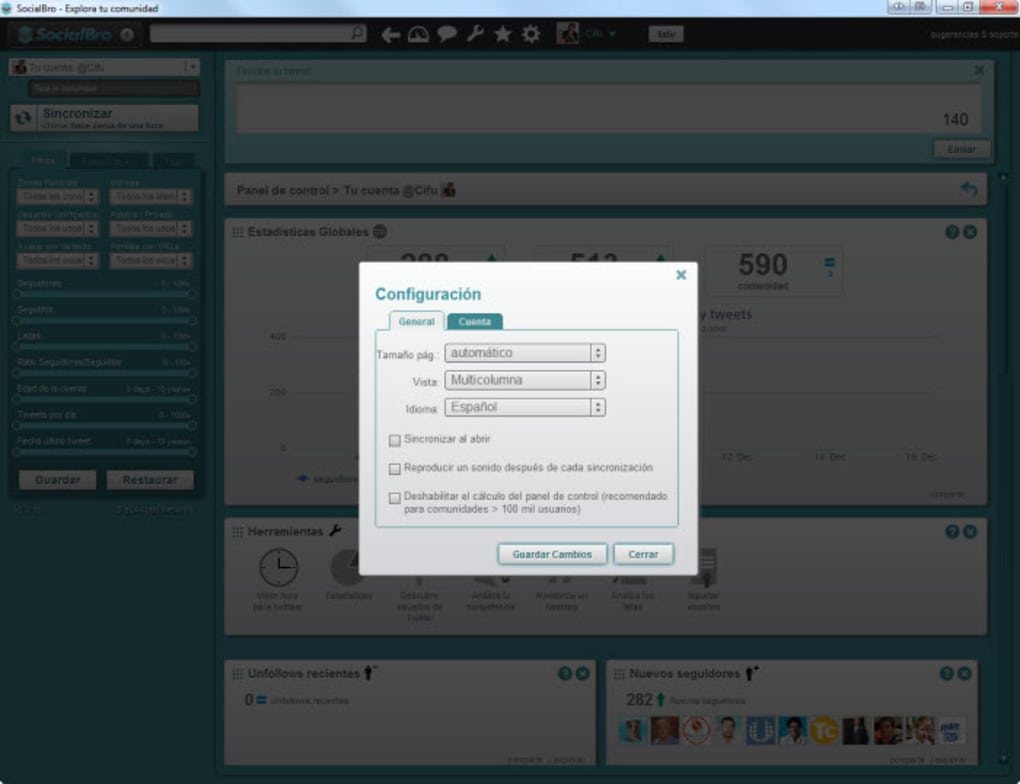
These features combine to make SocialBro a versatile tool for anyone who wants to transform raw Twitter data into strategic insights. The free tier removes the barrier to entry, while the interface—despite occasional instability—offers a level of granularity that rivals many paid analytics platforms. Users can also leverage the “Tools” menu to access extra utilities such as scheduled monitoring and bulk data sync, giving the app a modular feel that can adapt to both casual and professional workflows.
Installation Guide and System Compatibility
Step‑by‑Step Setup
Getting started with SocialBro is straightforward. Follow these steps to download, install, and begin analyzing your Twitter account:
- Visit the official SocialBro website and click the Download button for your operating system (Windows, macOS, or Linux).
- Run the installer file; the process is typical of most desktop applications and takes less than five minutes.
- Launch the app and create a new account using a valid email address and password. The registration is free and does not require a credit card.
- Authorize SocialBro to access your Twitter profile by signing in with your Twitter credentials. This step is required for data collection and is secured via OAuth.
- Allow the initial sync to complete. Depending on the size of your follower base, this can take anywhere from a few seconds to several minutes.
- Once the sync finishes, explore the dashboard, apply filters, and generate your first report.
Operating System Support
SocialBro is built on Adobe Air, which means it runs on Windows 7 or newer, macOS 10.12 or newer, and Linux distributions that support the Air runtime. Mobile versions for Android or iOS are not currently available, so the app is best suited for desktop environments where users can take advantage of the full reporting suite. The software updates automatically when a new version is released, ensuring you always have the latest security patches and feature enhancements.
Pros, Cons, Frequently Asked Questions, and Final Verdict
Pros & Cons
- Pros
- Completely free with no hidden fees.
- Rich data set covering followers, influence, location, and tweet activity.
- Powerful reporting tools for best‑time‑to‑tweet and competitor analysis.
- Exportable reports suitable for presentations.
- Regular updates keep the software secure and compatible with the latest Twitter API changes.
- Cons
- Desktop‑only; no mobile app for Android or iOS.
- Interface can feel unstable on large accounts, with occasional sync delays.
- Filters lack detailed explanations, which may frustrate new users.
- Requires a second sync for influence data, adding extra processing time.
- Recent changes on Twitter may not appear instantly in reports.
FAQ – Answers You Need Before Downloading
Is SocialBro really free or are there hidden charges?
SocialBro offers a completely free tier with all core analytics features. There are no subscription fees or hidden charges for the desktop version.
Can I use SocialBro on my Mac?
Yes. SocialBro runs on macOS 10.12 or newer through the Adobe Air runtime. Just download the Mac installer from the official site.
How secure is my Twitter data when I connect it to SocialBro?
SocialBro uses OAuth authentication, meaning your password never touches the app. All data transfers are encrypted via HTTPS, adhering to industry‑standard security practices.
What should I do if the sync process hangs or takes too long?
Large follower counts can cause longer sync times. Try pausing other network‑intensive applications, or perform a manual “Resync” from the Tools menu. If the issue persists, a fresh reinstall often resolves stability glitches.
Will SocialBro work with the latest Twitter API changes?
The development team releases regular updates to stay compatible with Twitter’s API. However, there can be a short lag—usually a few days—before new Twitter features appear in SocialBro’s reports.
Final Verdict & Call to Action
SocialBro delivers a surprisingly powerful set of analytics for a free desktop app. Its strength lies in the depth of data—follower demographics, influence scores, hashtag tracking, and actionable reporting—all wrapped in a user‑friendly interface that, while occasionally unstable, still provides value to seasoned marketers. If you are an experienced Twitter user comfortable navigating a few quirks, SocialBro can become a vital part of your social media toolkit. For casual users or those seeking a completely hassle‑free experience, the occasional sync hiccups and vague filter explanations may be a deterrent.
Ready to unlock deeper insights from your Twitter account? Download SocialBro now and start turning raw follower data into strategic decisions—all without spending a dime.







